Protocol & Wire Format
The client ↔ server communication runs on a binary protocol: length-prefixed MessagePack over TCP. This page covers why it is binary, how the framing works, and the two state-inspection commands (robot_get_state and robot_get_state_with_camera). For the list of commands themselves, see Protocol Endpoints.
We could use the standard netcat tool, however that tool was built for text-based protocols, like JSON. The client-server communication instead happens on top of a binary protocol encoded via MessagePack. We use MessagePack to send the data back and forth through the TCP. In their words: it's like JSON but faster. IDK about the faster part, but at least it's compatible.
Why a binary protocol?
Ok, but why a binary protocol and MessagePack? Raw JSON is a text protocol, not a binary protocol. However, if we wish to send binary blob data (i.e. video frames), we need a way to encode them in a string. A common way to do this for JSON is using base64 encoding. However, this adds a lot of latency to encoding/decoding. A better way to do this is to use a binary protocol, so we can send the data as-is and the other side interprets it directly as a frame (a numpy array in our case). Moreover, we also compress the frames using the python's standard library zlib, so we really want to send unaltered binary blobs in our json. What MessagePack allows us is to send the dictionary as is msgpack.packb({"a": [1,2,3], "b": "message", "c": np.array([...]).tolist()}) and load it on the other side in a language agnostic way. This is basically a more portable pickle. With the command get_state_with_camera, we get an additional entry in the state: the server-side rendered FPV frame of the UAV / robot.
Thus, we built our own little wrapper around the internal TCP length-based protocol + msgpack serialization/deserialization to/from JSON. It is called robosim-ncat.py and it simplifies the interaction with the simulator. For example, we can get the state of the robot like this and pipe it to jq for pretty printing:
echo -e "connect\nrobot_get_state 0" | ./cli/robosim-ncat.py localhost -p 5555 --json 2>/dev/null | tail -n +2 | jq
{
  "robot": {
    "components": ["HasTypeAndArgs", "HasModel", "HasPose", "HasFPV", "HasVelocity",
                   "HasAcceleration", "HasMotionInput", "HasCollision", "HasPhysicsLevel2", "HasChannel"],
    "data": {
      "_type": {"type": "robot"},
      "_args": {"model_path": "resources/models/drone_cube_head/drone_cube_head.obj", "scale": 0.8},
      "scale": [0.8],
      "pose": [[1.0, 0.0, 0.0, 0.0], [0.0, 1.0, 0.0, 6.0], [0.0, 0.0, 1.0, 0.0], [0.0, 0.0, 0.0, 1.0]],
      "velocity": [0.0, 0.0, 0.0, 0.0, 0.0, 0.0],
      "acceleration": [0.0, 0.0, 0.0, 0.0, 0.0, 0.0],
      "max_accelerations": [3.0, 3.0, 3.0, 3.0, 3.0, 3.0],
      "drag_coefficient": [1.0]
    },
    "connected": true
  },
  "timestamp": "1900-01-01T00:00:00.123456"
}
Notes:
tail -n +2just skips the{"status": "connected"}message.--jsonfor actual JSON, otherwise it prints the python dictionary. This also converts the bytes to base64. We'll see below why.- The robot is an ECS entity, so its state is component-keyed:
guide.componentslists the entity's components,.dataholds the serializable fields they declare (a level-1 robot would showmax_velocitiesinstead ofmax_accelerations/drag_coefficient).connectedis added byrobot_get_stateon top of the entity dump.
The equivalent netcat would be this, but the bytes are different now since the client must send a msgpack dict ({"cmd": "robot_get_state", "robot_ix": 0}) rather than a plain string:
echo -e -n "\x00\x00\x00\x0d\x81\xa3\x63\x6d\x64\xa7\x63\x6f\x6e\x6e\x65\x63\x74\x00\x00\x00\x1f\x82\xa3\x63\x6d\x64\xaf\x72\x6f\x62\x6f\x74\x5f\x67\x65\x74\x5f\x73\x74\x61\x74\x65\xa8\x72\x6f\x62\x6f\x74\x5f\x69\x78\x00" | timeout 1 nc -N localhost 5555 | tail -c +64 | msgpack2json  | jq
{
  "robot": {
    "components": ["HasTypeAndArgs", "HasModel", "HasPose", "HasFPV", "HasVelocity",
                   "HasAcceleration", "HasMotionInput", "HasCollision", "HasPhysicsLevel2", "HasChannel"],
    "data": {
      "_type": {"type": "robot"},
      "_args": {"model_path": "resources/models/drone_cube_head/drone_cube_head.obj", "scale": 0.8},
      "scale": [0.8],
      "pose": [[1.0, 0.0, 0.0, 0.0], [0.0, 1.0, 0.0, 6.0], [0.0, 0.0, 1.0, 0.0], [0.0, 0.0, 0.0, 1.0]],
      "velocity": [0.0, 0.0, 0.0, 0.0, 0.0, 0.0],
      "acceleration": [0.0, 0.0, 0.0, 0.0, 0.0, 0.0],
      "max_accelerations": [3.0, 3.0, 3.0, 3.0, 3.0, 3.0],
      "drag_coefficient": [1.0]
    },
    "connected": true
  },
  "timestamp": "1900-01-01T00:00:00.123456"
}
Let's unpack this a bit:
| Bytes | Description | Count |
|---|---|---|
\x00\x00\x00\x0d |
Length header (13) | - |
\x81 |
1-element map | 1 |
\xa3\x63\x6d\x64 |
fixstr(3) "cmd" | 4 |
\xa7\x63\x6f\x6e\x6e\x65\x63\x74 |
fixstr(7) "connect" | 8 |
\x00\x00\x00\x1f |
Length header (31) | - |
\x82 |
2-element map | 1 |
\xa3\x63\x6d\x64 |
fixstr(3) "cmd" | 4 |
\xaf\x72\x6f\x62\x6f\x74\x5f\x67\x65\x74\x5f\x73\x74\x61\x74\x65 |
fixstr(15) "robot_get_state" | 16 |
\xa8\x72\x6f\x62\x6f\x74\x5f\x69\x78 |
fixstr(8) "robot_ix" | 9 |
\x00 |
positive fixint 0 (the robot_ix value) | 1 |
timeoutis used because nc doesn't end and the connection is stateful afterconnectmessagetail -c +64gets rid of the{"status": "connected", "id": 0, "timestamp": "..."}message (4-byte length prefix + 59-byte msgpack payload = 63 bytes;+64skips them)msgpack2jsonis the CLI tool of msgpack that converts from the binary response back to jsonjqpretty prints
For what follows, we'll simply use robosim-ncat.py instead as it simplifies the manual byte packing, header skipping and so on.
Video streaming
We also support video streaming, which is a special state called robot_get_state_with_camera:
echo -e "connect\nrobot_get_state_with_camera 0" | ./cli/robosim-ncat.py localhost -p 5555 --json 2>/dev/null | tail -n +2 | jq

{
  "robot": {
    "components": ["HasTypeAndArgs", "HasModel", "HasPose", "HasFPV", "HasVelocity",
                   "HasAcceleration", "HasMotionInput", "HasCollision", "HasPhysicsLevel2", "HasChannel"],
    "data": { "_type": {"type": "robot"}, "pose": [[...]], "velocity": [...], "acceleration": [...], "...": "..." },
    "connected": true
  },
  "fpv_compressed": "base64:...",
  "fpv_shape": [400, 400, 4],
  "fpv_frame_id": 0,
  "timestamp": "1900-01-01T00:00:00.123456"
}
Unlike robot_get_state, the FPV fields sit at the top level (siblings of robot), not inside it: fpv_compressed (zlib'd RGBA bytes), fpv_shape and a monotonically increasing fpv_frame_id. We can copy these bytes, i.e. using jq .fpv_compressed | xclip (to copy it to clipboard) and then:
import zlib
import base64
import numpy
import matplotlib.pyplot as plt

b64_raw_data = "<paste it here>"[7:] # skip the 'base64:' prefix
compressed_data = base64.b64decode(b64_raw_data)
raw_bytes = zlib.decompress(compressed_data)
np_img = np.frombuffer(raw_bytes, dtype="uint8").reshape(400, 400, 4) # RGBA
plt.imshow(np_img)
plt.show()
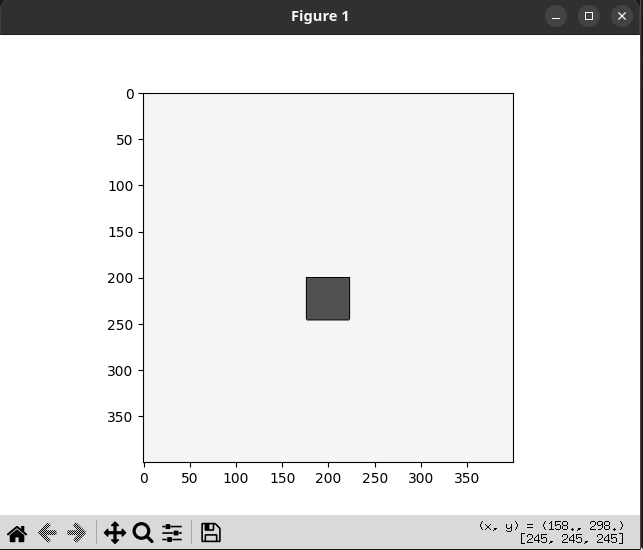
Note: our netcat client supports showing matplotlib images using --display_fpv_frame.
Framing
Length-prefixed msgpack over TCP. Every message (both directions) is:
[4 bytes big-endian length][msgpack payload]
All payloads are msgpack-encoded dicts. On connect, the server sends {"status": "connected", "timestamp": "..."}.
Client to server
Every request is a dict with a "cmd" key:
{"cmd": "command_name", ...} # additional keys depend on command
See Protocol Endpoints for every supported command, its arguments, and which plugin owns it.
Server to client
All responses include a "timestamp" field (ISO format). Success responses are command-specific dicts (e.g. robot_get_state returns the robot's full state). Error responses always contain an "error" key:
{"error": "Cannot do any action while mission is running", "timestamp": "1900-01-01T00:00:00.123456"}
Performance note
Read-only commands (sim_get_info, sim_get_state, robot_get_state, robot_get_state_with_camera, help) are handled directly in the TCP thread at network speed. All other commands go through the main loop queue and are processed once per frame.